
Table of Contents
Don't have the time to read the entire post? Our human writers will be sad, but we understand. Summarize the post with your preferred LLM here instead.
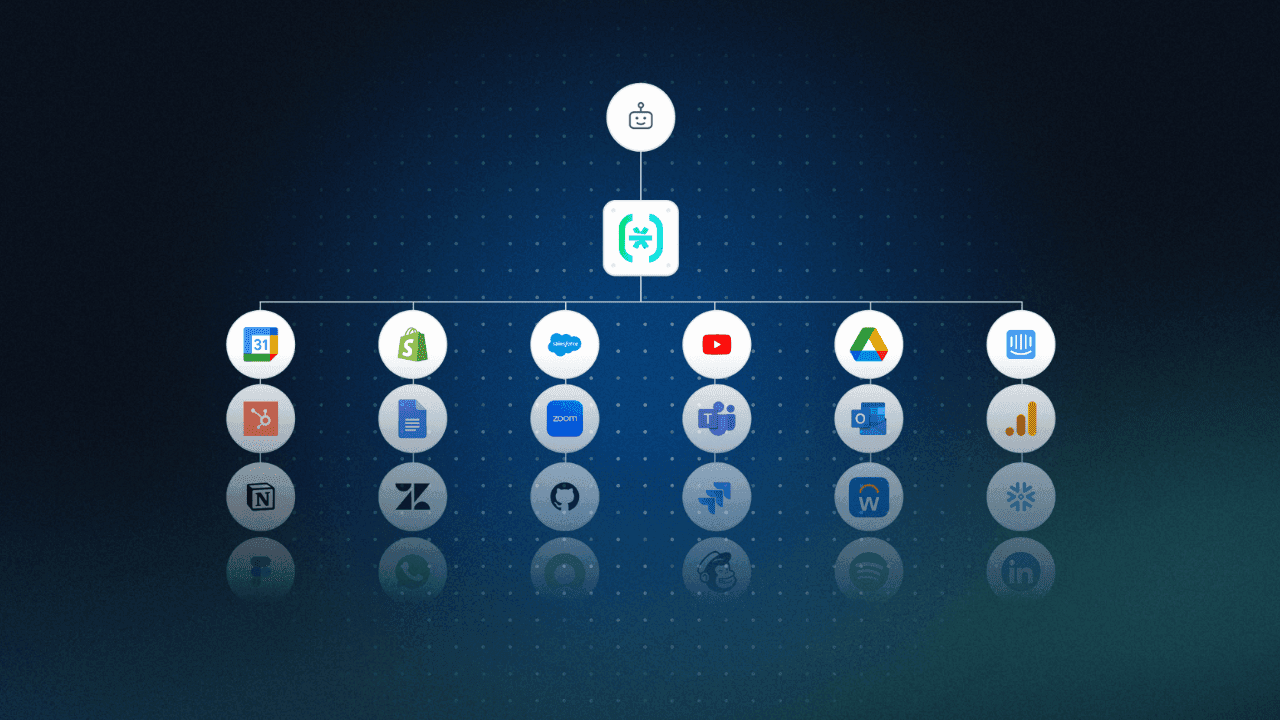
Hello Descopers! We’re delighted to share Inbound Apps with you today to revolutionize the way applications connect and interact with other applications, APIs, and AI agents. Inbound Apps provide an easy way to turn your app into an OAuth-compliant identity provider, unlocking a variety of use cases including seamless B2C and B2B AI agent connectivity, marketplace authentication, and cross-app data sharing with partner applications.
Inbound Apps are available for every developer to use, including on our Free Forever tier. Sign up, view the docs, and explore our sample app to get started.
For more on the Why, What, and How of Inbound Apps, keep on reading!
Apps as identity providers
Applications were conventionally UI-based interfaces that users could visit to complete tasks, access data, and go about their daily work. With the rise of AI agents, APIs, and digital connections with partners / affiliates, applications are now so much more.
Imagine if your app could do the following:
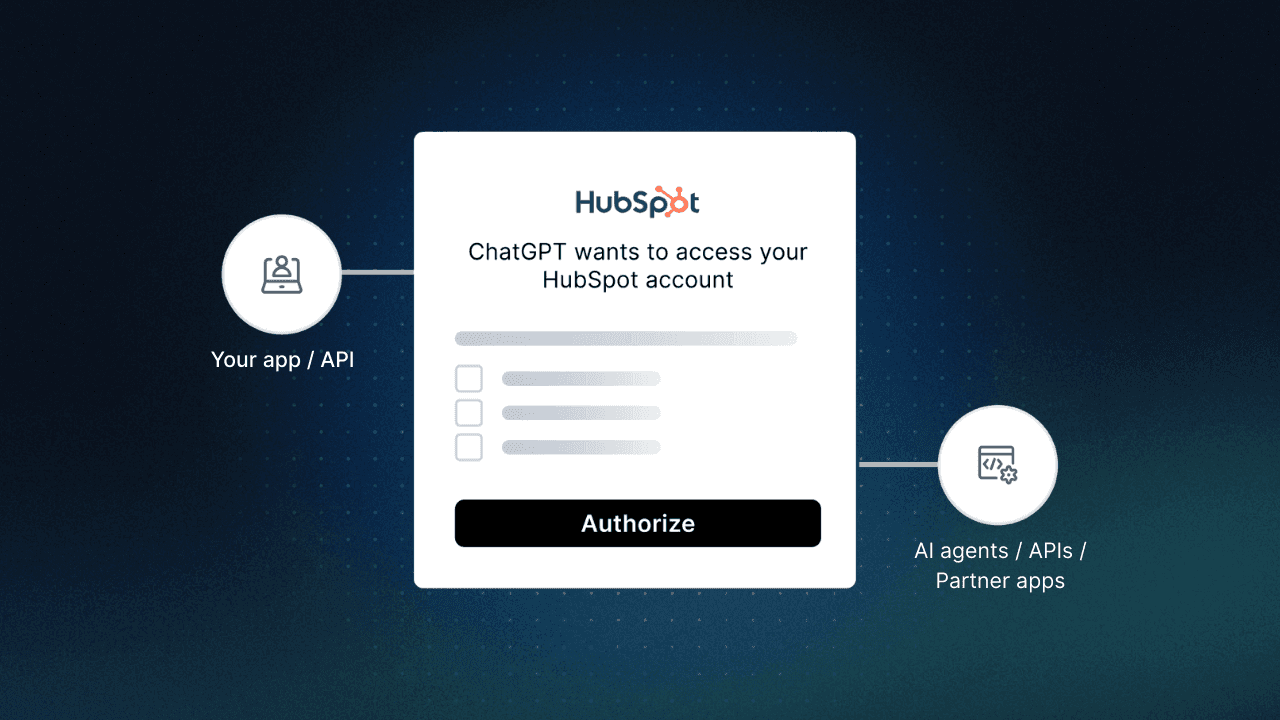
Connect seamlessly with AI agents while providing users visibility into what actions and data the AI agents gain access to on the users’ behalf.
Allow partner apps and affiliate sites to access data and perform actions on your users’ behalf (e.g. displaying user investments from your FinTech app on the dashboard of another financial institution).
Host a marketplace of tools that users can access by using their credentials on your app.
All of this is possible if applications are no longer just applications, but identity providers. Putting a framework in place for other applications, APIs, and AI agents to securely access user data and perform actions on your application is a core building block to expand market reach, use cases, and revenue.
If you’re on board with the “apps as IdPs” thesis, a few questions immediately arise. Are you now responsible for:
Managing session and token validation across these different digital stakeholders,
finalizing the set of protocols and technologies to use (OAuth, OIDC, PKCE, MCP) and always having protocol experts on your engineering team, and
instituting consent mechanisms for end users to ensure proper access control?
Not at all! That’s where Inbound Apps come in.
Inbound Apps overview
Inbound Apps are a simple and powerful way to turn your app into an identity provider without the developer heavy lift. By making your app or API compliant with the OAuth standard, any AI agent, API, or third-party application can securely authenticate, access authorized user data, and take scoped actions on behalf of users with their explicit consent.
With Inbound Apps, organizations can:
Expose their APIs securely for automated machine-to-machine (M2M), agentic, and partner workflows
Define granular user, tenant, and permission scopes for what the AI agent / API can access via OAuth scopes
Create and display consent screens to users and IT admins to ensure data privacy and least-privilege access
Easily manage all granted consents, view associated user identity information, and revoke access when needed
Watch the video below for a demo on how to create an Inbound App, prepare APIs with scope-based access control, and create user consent flows.
How it works
Here’s a simplified step-by-step flow of how Inbound Apps work using the authorization code flow with PKCE (which is recommended for devices or environments that can’t safely store secrets):
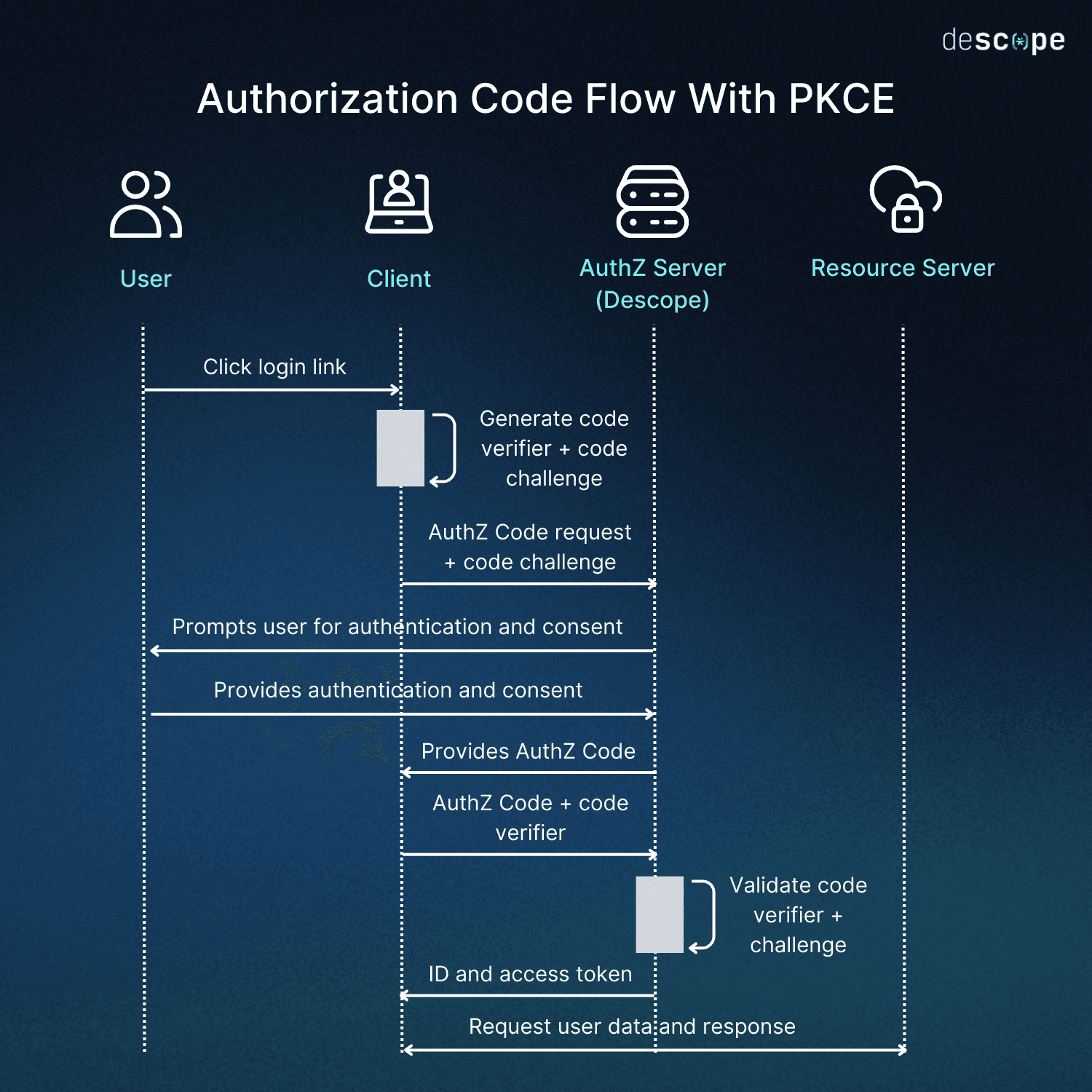
A third-party application redirects to Descope’s authorization URL for authentication.
The user logs in through Descope, is shown the scopes being requested, and grants consent.
Descope issues an authorization code and redirects the user back to the third-party application.
The application exchanges the authorization code for an access token, which is then used to authenticate API requests.
Inbound Apps also support the client credentials flow and other OAuth flows for both agentic and non-agentic use cases. You can read more in our docs.
Scope-based access control
Scopes are at the heart of Inbound Apps. Turning your app into an OAuth provider means you get to define the scopes and permissions, you decide which apps / AI agents can be onboarded, and you issue tokens that represent fine-grained access for each entity with the user’s explicit consent.
Inbound Apps provides nuanced scope-based access control capabilities that let you:
Issue time-bound scopes to control how long consent is valid for (including the ability to set custom expiry times)
Control which scopes are optional and mandatory for each issued token
Define and configure scopes at both user and tenant levels to unlock B2C and B2B use cases
Progressively request more scopes for elevated access when needed
Provide visibility to end users on which scopes are being requested and empower them to provide time-bound consent
Read More: Preparing Your APIs for Progressive Scoping
Drag & drop consent management
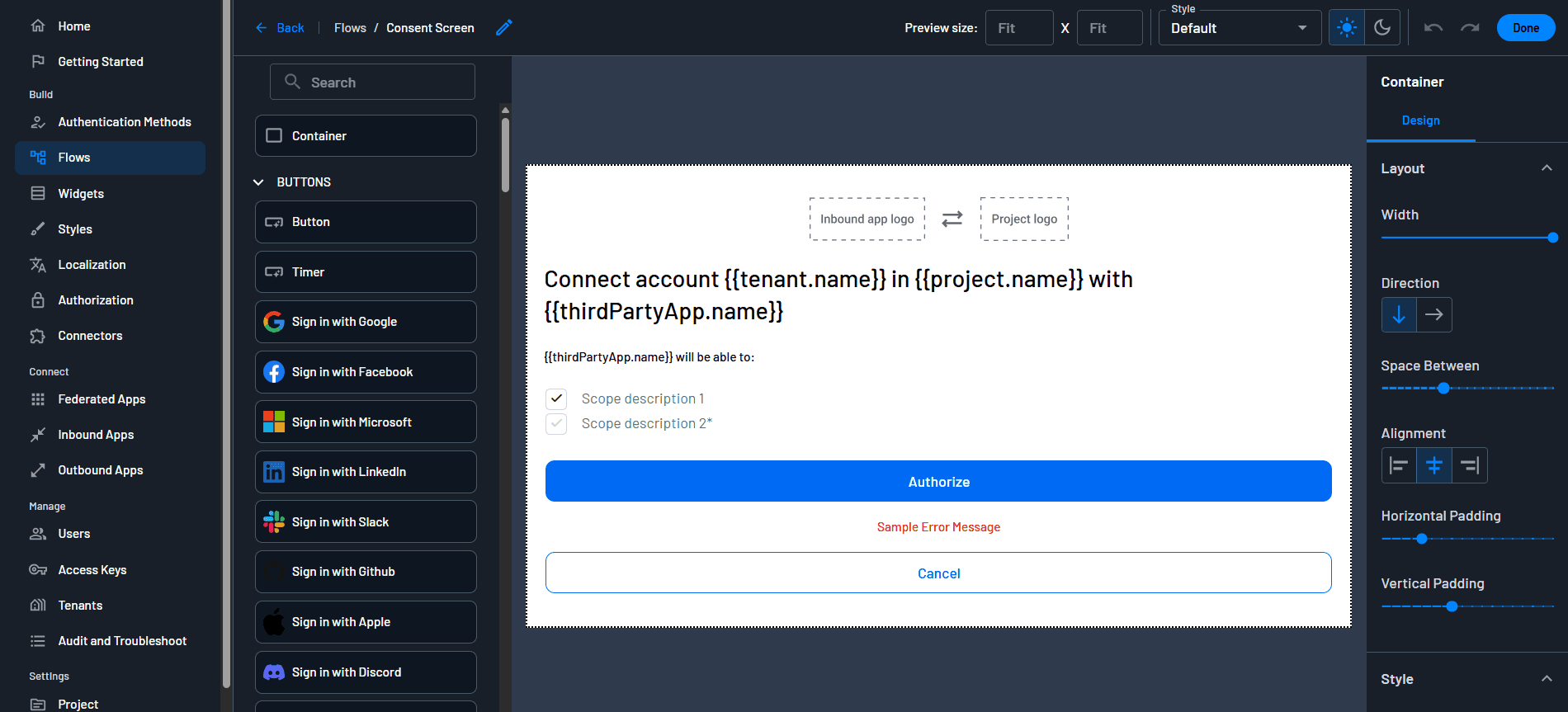
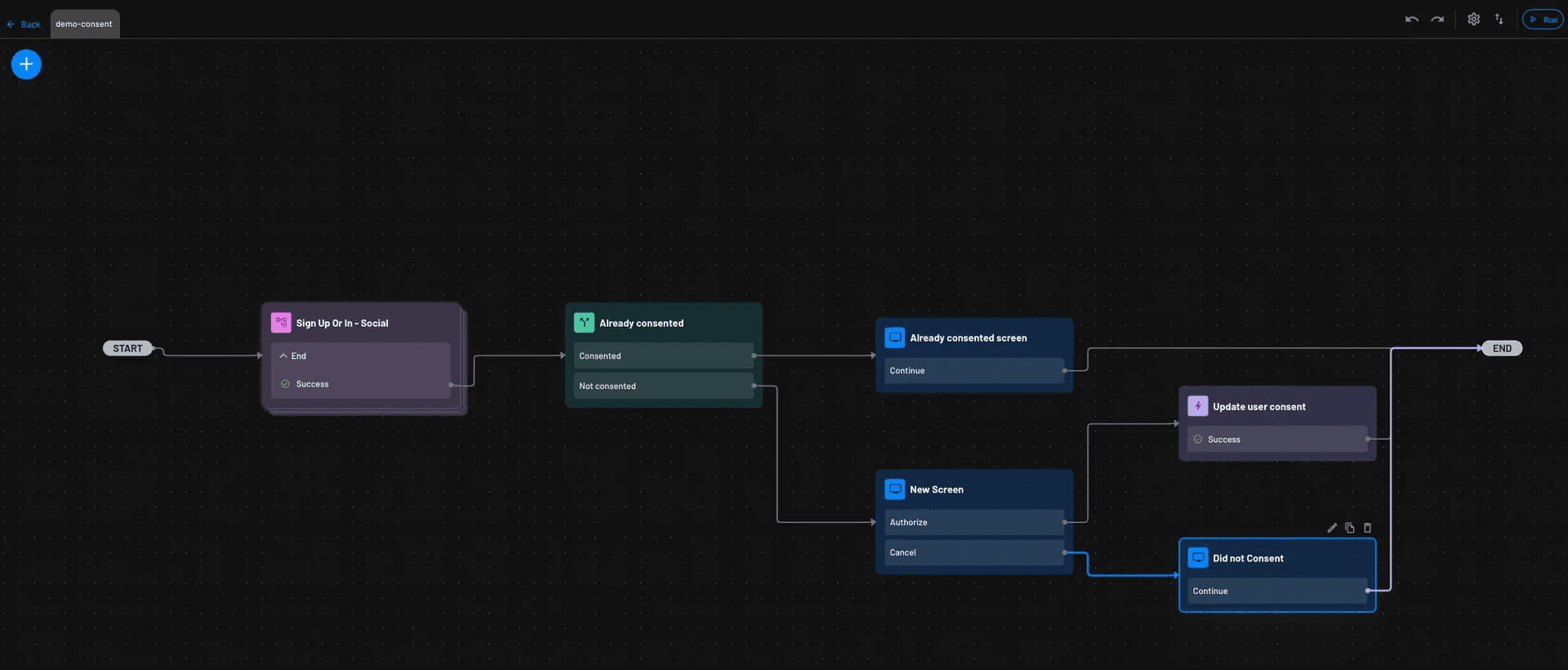
Redirecting the user to authenticate and provide consent is a critical part of any OAuth-based identity process. With Inbound Apps, this is drag & drop simple with Descope Flows.
Our screen builder lets you create and customize consent screens including logos of the third-party app / agent and scope descriptions…
…and our workflow engine lets you add the consent flow within your existing authentication journey without touching a line of code.
Scopes + roles
While scopes and roles both control access, they serve different purposes. Scopes define the actions an application or AI agent can take within your API, while roles are a representation of who the user is within an organizational / app setting.
When human and machine identities intertwine, either scopes or roles on their own aren’t sufficient. Relying solely on scopes hinders the ability to manage internal user permissions, while relying solely on roles lacks the nuance to enforce fine-grained API access.
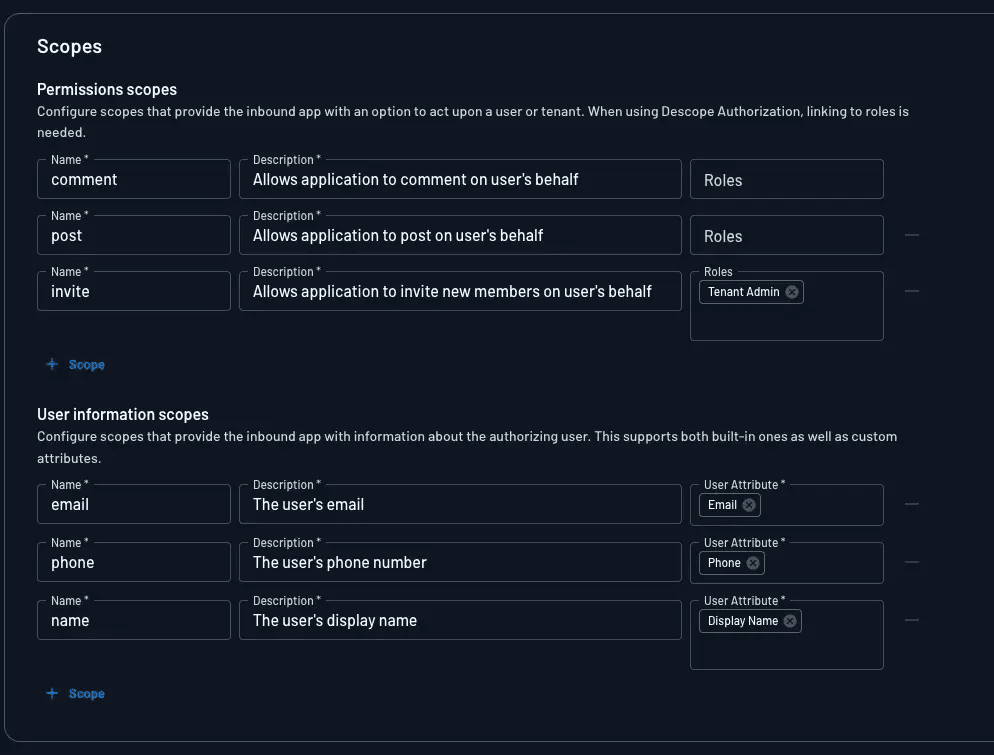
Descope enables mapping RBAC roles to OAuth scopes, allowing for granular access that maintains role-based governance. Moreover, allowing for both permission scopes (i.e. the actions that can be performed on the users’ behalf) and user information scopes (i.e. the user data being requested) enables fine-grained authorization controls that can enforce OAuth-based permissions while also accounting for business logic and hierarchies.
For example, if the roles in question are viewer, editor, and tenant admin, and the scopes in question are post, invite, and comment, a user with the tenant admin role will receive a token payload that looks something like this:
{
  "sub": "user123",
  "scope": "post comment invite",
  "roles": ["tenant admin"]
}
Inbound Apps use cases
Inbound Apps unlock a variety of use cases including seamless AI agent connectivity, letting partner applications take actions on users’ behalf, enabling OAuth-based marketplaces, and powering M2M authentication flows.
AI agent connectivity
Inbound Apps let your app provide scoped access to AI agents while ensuring the end user grants explicit consent.
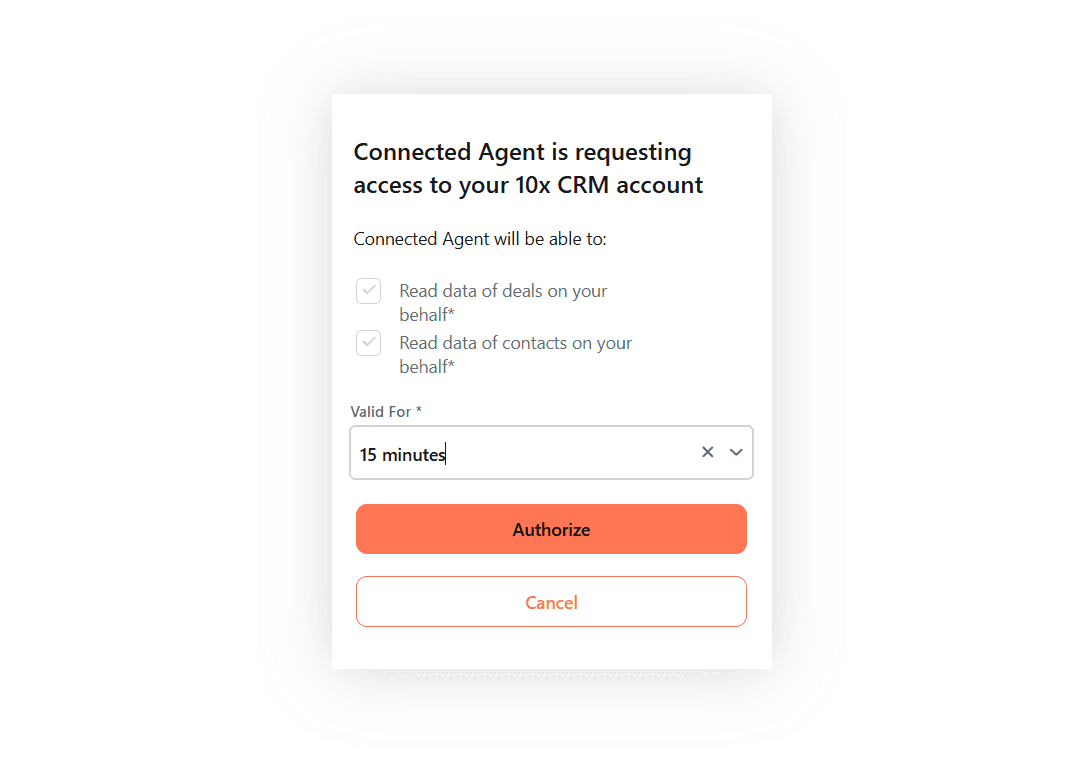
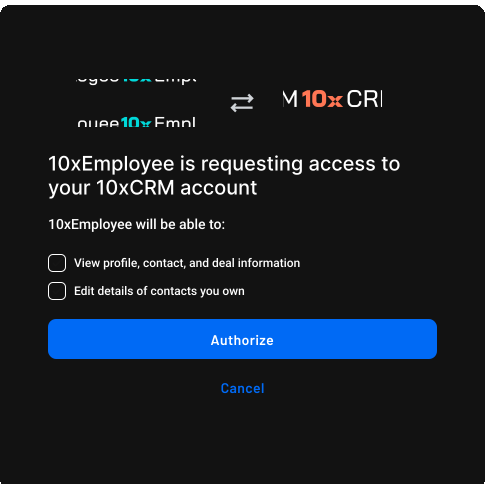
Let’s say your app, 10xCRM, is an AI-powered customer relationship management platform. You’ve also recently created an AI agent, 10xEmployee, which saves employee time by booking meetings, summarizing documents, and analyzing data on their behalf.
You can easily integrate 10xCRM with 10xEmployee by creating an Inbound App for it, which will generate a scoped OAuth token that the agent can use to access contact and deal information. The consent screen users will get to start off this app-to-agent connection can look something like this:
Inbound Apps are also a great way to secure your MCP servers with enterprise-grade authorization. You can define MCP-specific scopes (e.g. models.invoke, context.read), configure token lifetimes, and restrict permissions to certain models, all while ensuring only MCP clients with the proper tokens can interact with your MCP server.
Read More: Diving Into the MCP Authorization Specification
Connecting partner applications
Inbound Apps let partner applications take scoped actions and access authorized data on users’ behalf with their consent.
Let’s say your app, HighFinance, helps users invest in curated high-growth stocks. Another popular app among your userbase is WealthCentral, an app to centralize and view their entire investment portfolio.
Using Inbound Apps, users can grant consent to WealthCentral to access and display their investment data from HighFinance, increasing the value that both apps provide to users while ensuring secure API connections.
Marketplaces
Inbound Apps let third-party applications on your marketplace take scoped actions and access authorized data on users’ behalf with their consent.
Let’s say your app, RealHumans, is an HRIS provider helping organizations with employee engagement and retention. RealHumans has a marketplace with a Slack integration (among many others). Managers can use the Slack integration to send them automated birthday notifications of their team members.
Using Inbound Apps, users can grant consent to Slack to send them birthday notifications (with the birthday information being retrieved from RealHumans) without you having to worry about API authentication and token management.
Crucially, your marketplace can now be equipped with many OAuth token security features to expand both reach and functionality while ensuring enterprise-grade security. The ability to provide time-bound access, controlling mandatory and optional scopes, and defining scopes at both user and tenant levels can enable your marketplace to host a variety of integrations while keeping access control and security top of mind.
Getting ready for the agentic Internet
Humans are going to have a lot of digital friends browsing the web by their side very soon. API traffic is already soaring and agentic traffic isn’t far behind. Applications like yours must prepare to serve these new demographics with the same focus on experience and security that you hold for your end users and customers.
Inbound Apps help you get there quickly and securely without needing your developers to become OAuth experts. Enabling your API to seamlessly connect with any AI agent or app while providing fine-grained, clearly scoped access with the user’s consent lets your business embrace the agentic age with a robust identity infrastructure underpinning it.
Sign up for Descope to start using Inbound Apps today and keep up with our AI launches here. Have questions? Book a demo with our auth experts to learn more.