
Table of Contents
Don't have the time to read the entire post? Our human writers will be sad, but we understand. Summarize the post with your preferred LLM here instead.
Biometric authentication verifies a person’s identity using a unique physical or behavioral trait, such as a fingerprint, face, iris, or voice, instead of something they have to remember or carry. It falls under the “something you are” authentication factor, and is most often paired with another factor as part of multi-factor or passwordless login.
The use of biometrics has surged in recent years, with more than half of all users authenticating with the technology daily. As user adoption increases, so do the available biometric authentication methods.
From your digits to your DNA, there’s not much that modern technology can’t scan. Using biometrics for authentication isn’t new, but the range of options has expanded fast, so if you’re thinking about implementing biometric authentication for your app, organization, or digital service, you have plenty to choose from.
At a glance
Biometric authentication verifies identity using a unique physical or behavioral trait, such as a fingerprint, face, iris, voice, or the way a person walks.
The main methods split into physiological types (facial recognition, fingerprint scanning, iris and retina recognition, voice recognition, and hand geometry), and behavioral types (gait and vein recognition).
Biometrics belong to the “something you are” authentication factor and are hard to guess, steal, or share, which makes them strong against phishing and account takeover.
Because a trait can’t be reset like a password, biometric systems store a mathematical template rather than the raw image, and are usually paired with another factor.
For apps, biometric login methods are most often delivered through passkeys and the WebAuthn standard, where the fingerprint or face unlocks a device-bound key rather than being sent to the server.
Quick facts
What biometric authentication is | Validating identity with a unique physical or behavioral trait instead of a password |
Which factor it belongs to | “Something you are,” or the inherence factor |
Main types | Facial recognition, fingerprint scanning, iris/retina recognition, voice recognition, hand geometry, plus emerging gait and vein recognition |
How it’s stored | As a mathematical template (not the raw image) ideally kept on the user’s device |
Key benefit | Nothing to remember, phish, or reuse across sites |
What is biometric authentication?
Biometric authentication is a way of confirming identity using a measurable physical or behavioral trait rather than a password or PIN. Instead of asking a user to remember something, it checks something about them: a fingerprint, a face, an iris pattern, a voice, or even the way they walk.
This maps to the “something you are” factor in authentication, distinct from “something you know” (like a password) and “something you have” (like a phone or security key). Because a biometric trait is hard to guess, forget, or hand off to someone else, it tends to reduce the friction that passwords create while also improving security.
Most systems store a mathematical template of the biometric trait rather than the raw image. They also pair the biometric check with another factor, such as a device-bound key, for stronger assurance. This is how passkeys and other passwordless methods work today: a fingerprint or face scan unlocks a cryptographic key on the device, rather than being sent anywhere as a password substitute.

Types of biometric authentication compared
The table below lines up the most common biometric authentication techniques side by side, so you can compare accuracy and friction at a glance.
Method | How it works | Accuracy | Common use | User friction |
|---|---|---|---|---|
Facial recognition | Maps facial features and checks them against stored data | Very high on leading systems, but can vary by demographic and lighting | Unlocking phones, quick app logins | Low |
Fingerprint scanning | Maps the ridges of a finger and compares them to a stored template | Very high on modern sensors | Unlocking devices, banking apps, payments | Low |
Iris/retina recognition | Uses infrared light to scan and map the eye | Extremely high, very low false match rate | Government and military facilities | Medium |
Voice recognition | Builds a profile of vocal characteristics | Moderate, sensitive to noise and impersonation | Digital assistants, call center verification | Low |
Hand geometry | Maps the shape and proportions of the hand | High, but drops on mobile scans | Physical access at large venues | Medium |
Gait recognition | Analyzes stride, step, and posture from video | Approaching high accuracy in controlled settings | Law enforcement, missing persons cases | None (passive) |
Vein recognition | Uses infrared light to map veins beneath the skin | Extremely high | High-security exam centers and facilities | Medium |
Now, let’s take a closer look at each of these methods.
Physiological biometric authentication methods
Modern authentication methods will test at least one of three possible variables when verifying a user’s identity:
Something the user knows
Something the user has
Something the user is
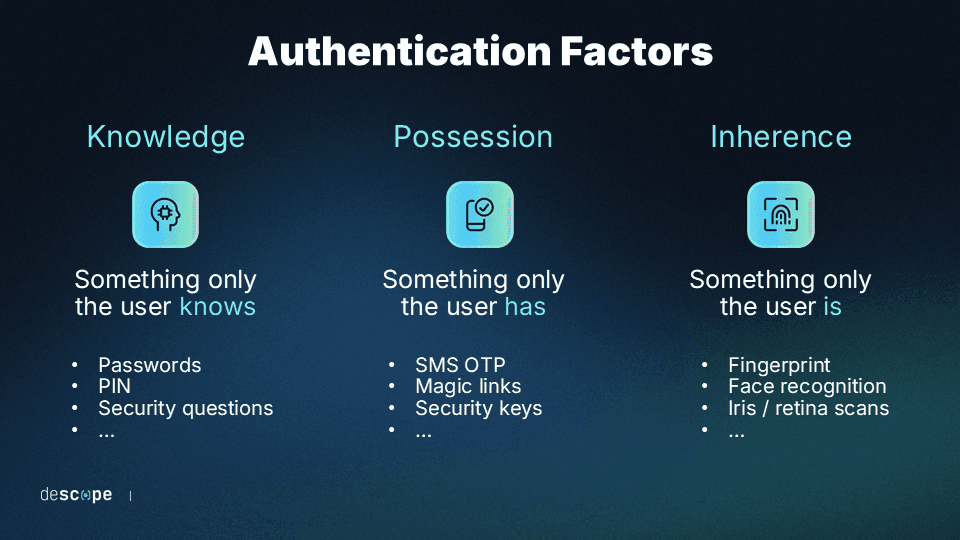
Consider the following examples of biometric authentication methods to determine which suits your purposes:
Facial recognition
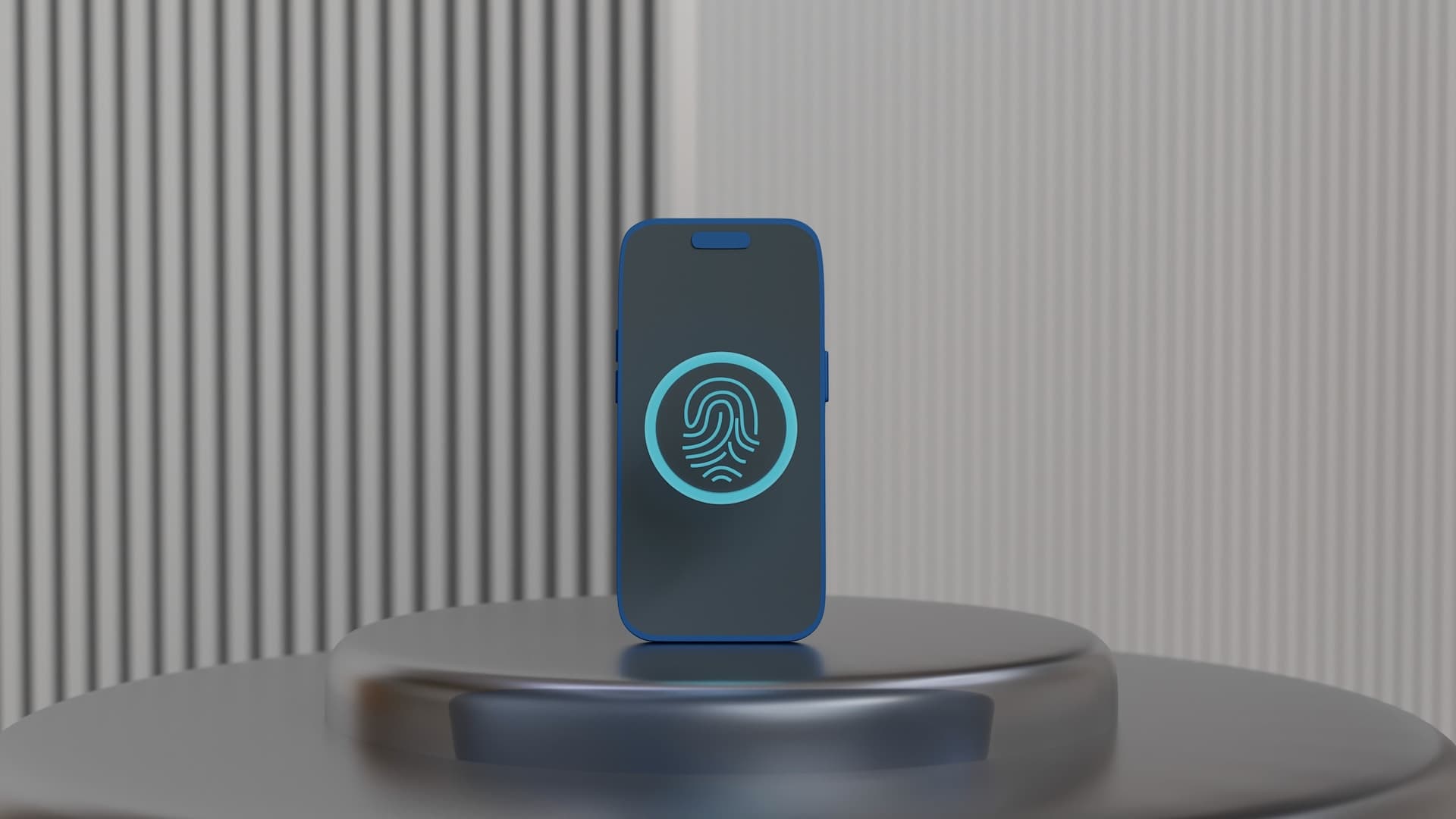
Fingerprint scanning
Iris/retina recognition
Voice recognition
Hand geometry
Facial recognition
Facial recognition verifies identity by mapping a user’s facial features and checking them against a stored template. Then, when the user makes an authentication request, their face is checked against the biometric data saved in the repository to verify their identity.
Employing facial recognition technology to authenticate users offers a quick, effortless user experience (UX), which is why some of the most popular devices prefer it. It’s also highly secure: Apple’s Face ID has complex mapping procedures and depth-perceiving technology that make the chance of misreads less than one in one million.
That said, facial recognition may not work equally well for everyone. A 2020 Harvard analysis found that age, race, and gender could affect the accuracy of popular facial recognition software, and more recent research suggests the gap has narrowed on the most accurate systems, though it points to a more complex picture: factors like image quality, lighting, and even facial hair or hairstyle can influence results as much as demographics alone.
Thus, facial recognition is best used where it’s seen most often: to unlock phones and complete other less critical authentication tasks. If you’re using it for more complex functions, consider backing it up with a secondary authentication method to avoid misreads.
Fingerprint scanning
Fingerprint scans work by mapping the unique ridges of the user’s digit then checking it against stored data. The technology has only gotten more accurate over time: in a 2026 NIST benchmark evaluation, the leading fingerprint identification system achieved a 0.02% error rate on two-finger matching against a database of 1.6 million people, and most modern devices now ship with fingerprint-compatible sensors.
Some individuals’ fingerprints, however, may not be as clearly defined as others. In such cases, users may have to scan multiple times or use another authentication method.
Nonetheless, fingerprint scanners have numerous applications. You can trust them for simple functions like unlocking devices and critical tasks like verifying identities for money transfers. Hence, you can find fingerprint-scanning technology everywhere, from banking apps to theme parks.
Iris and retina recognition
Iris recognition scans use infrared light to illuminate the user’s eye. A complex recognition algorithm takes a detailed scan of the iris, saves it in its database, and checks it against future authentication attempts.
Retina recognition, on the other hand, uses near-infrared irradiation to illuminate the blood vessels at the back of the eye and map out their unique pattern.
Both methods have extremely low false match rates, as ocular qualities are hard to duplicate. Thus, they’re cornerstones of authentication in high-security facilities, such as government and military compounds.
While ocular scanners are impressive and secure, their costs make them prohibitive for consumer purposes. So, while iris and retina scans may have a home in government entities and organizations, they’re still beyond the price point of the average app developer to be practical.
Voice recognition
Voice recognition verifies identity by building a profile of a user’s unique vocal characteristics and matching it against stored data. If you’ve ever used a digital assistant to send a text or play a song, you’re familiar with the power of voice recognition technology. Speaker identification software creates these profiles for smooth and speedy verification.
Of course, voice recognition has its downsides, as anyone who has tried to use their digital assistant in a noisy environment (or with a sore throat) will tell you. These limitations haven’t stopped the technology from becoming mainstream. Since the roughly 4 billion voice assistants in use in 2022, that number has continued to climb as smart speakers and in-app assistants have spread.
From Alexa to Siri, voice recognition is best used for completing minor tasks on personal devices, as research has found that even sophisticated vocal recognition technologies can be fooled by agentic AI and impersonators. So, if sensitive information is involved, vocal cords are not necessarily the safest authentication tool on their own.
Hand geometry
Hand geometry verifies identity by mapping the unique size and shape of a user’s hand and comparing it to a stored profile. Like other biometric identification methods, hand scans function by checking these characteristics against stored profiles.
Accurate hand geometry scans require specialized equipment, and scans taken on mobile devices yield less accurate results than other biometric authentication methods. Thus, from the Olympics to Disney World Resorts, the technology is primarily used by massive entities with significant security concerns.
In fact, with starting prices ranging in the thousands of dollars, palm scanners have limited consumer application. Other authentication methods are likely a better fit for the job unless you protect a sizable physical location or valuable goods.
Up-and-coming biometric authentication methods
While DNA-based identity verification may seem like science fiction, it already exists and is becoming more affordable and accurate. Soon, a drop of blood may be one of the quickest and most effective ways to authenticate a user.
For now, however, other similarly futuristic authentication methods, such as gait and vein recognition, are worth knowing about.
Gait recognition
Gait recognition identifies a person by the unique way they walk, rather than a physical feature. Identifying walking patterns has niche uses for law enforcement and related organizations. Generally, such software analyzes video footage to locate individuals based on the length of their strides, steps, and footprints. While some gait recognition software has results approaching 95% accuracy, it can easily be thrown off by individuals intentionally manipulating their walk.
For identification and authentication purposes, gait recognition helps search for missing persons or pursue criminals.
Vein recognition
Vein recognition maps the unique pattern of veins beneath the skin, most often in the palm, using infrared light. Infrared palm scans penetrate the skin to map the unique web of veins beneath the palm’s surface. Vein scans can be highly accurate, with some technologies boasting correct recognition ratings of over 99.9%.
Due to its high accuracy, palm vein scans are the preferred authentication method of the national certification exam administrator, Pearson VUE. Like other methods that require expensive hardware, however, vein recognition as a whole is more suited to organizational applications rather than consumer use.
Benefits of biometric authentication
Biometric authentication offers a few clear, quotable advantages over passwords and other knowledge-based methods:
Stronger security: A biometric trait can’t be guessed, phished, or reused across sites the way a password can, which closes off some of the most common attack paths.
Faster, simpler login: There’s nothing to remember, type, or reset, so users get past the login screen with a glance, a touch, or a word.
Resistance to credential-based attacks: Since there’s no shared secret to steal, biometrics sidestep credential stuffing and password-reuse attacks entirely.
A smoother experience overall: Removing password friction can lift conversion at sign-up and cut down on password-reset support load.
These benefits come with honest tradeoffs too, covered in the section below. Not every method fits every use case, and biometrics work best as part of a broader authentication strategy.
Factors to consider when choosing a biometric authentication method
When determining which biometric authentication method fits your needs, there are several considerations to keep in mind, including:
Security
Using secure biometric technology is paramount if you’re safeguarding extremely sensitive data, such as users’ banking information or trade secrets. Fingerprint scans, for instance, have a lower chance of being falsified than other widely accessible methods, like signatures.
Look closely at how a vendor stores biometric templates: on-device storage, as passkeys use, generally beats a centralized database, since there’s no single repository for an attacker to target. Biometrics should be part of an MFA process that employs additional identification approaches rather than serving as the sole gatekeeper.
Accuracy
If your service has a large volume of users, you’ll want to pick a method that can quickly and accurately differentiate between biometric markers without potentially confusing similar credentials.
False accept and false reject rates matter here. A method with a low false accept rate keeps impostors out, while a low false reject rate keeps legitimate users from getting locked out over a minor scan issue. Methods like iris and vein recognition tend to score well on both counts, while voice recognition trails behind.
User experience
If a quick and effortless experience is paramount, easy-to-use and familiar technologies such as fingerprint and face scans present optimal choices.
Consider, too, how a method performs in the conditions your users are actually in. For example, a face scan is awkward in the dark and a voice check is unreliable in a noisy room. The best fit often depends on where and how people will use your app day to day.
Cost
For commercial and consumer-oriented apps, any solution requiring hardware beyond a standard mobile device may make the method cost-prohibitive for many users.
Fingerprint and face recognition win out here largely because the hardware already ships in most phones and laptops. Iris, vein, and hand geometry scanning require dedicated readers and scanners that only make financial sense at organizational scale.
A note on FIDO authentication
Open standards such as FIDO2 and WebAuthn have rapidly gained adoption in the past few years. Passkeys, a consumer-friendly version of these standards, have been adopted by Google, Microsoft, Apple, Shopify, and others as the default form of passwordless authentication.
FIDO authentication uses asymmetric cryptography and biometrics to make authentication both secure and frictionless. Moreover, the biometric data never leaves the user’s device, making it virtually impossible for cybercriminals to conduct account takeover.
Adding passkeys to a consumer application offers a great balance between security and user experience.
How to add biometric login to your app
For web and mobile apps, biometric login is delivered through passkeys and the WebAuthn standard rather than custom fingerprint or face-scanning code. A user registers a credential at signup, typically confirmed with a fingerprint or face scan, and that same device-bound key is checked at every future login. The biometric itself never leaves the device or reaches your server.
Most teams don’t implement WebAuthn from scratch, since handling registration ceremonies, attestation, and cross-device fallbacks correctly is a meaningful engineering lift.
A platform like Descope adds biometric login to a React or Next.js app through its SDKs and drag-and-drop flows, so a fingerprint or face scan can replace a password without your team building the underlying protocol work.
Also Read: Developer’s Guide to Passkeys
Add biometric authentication to your app with Descope
With most mobile devices now natively supporting biometrics, applications that let users authenticate with a swipe of their finger can simplify onboarding, increase retention, and improve security. Descope helps developers add biometrics, passkeys, and other authentication methods through drag-and-drop workflows that abstract away the complexity of building WebAuthn by hand.
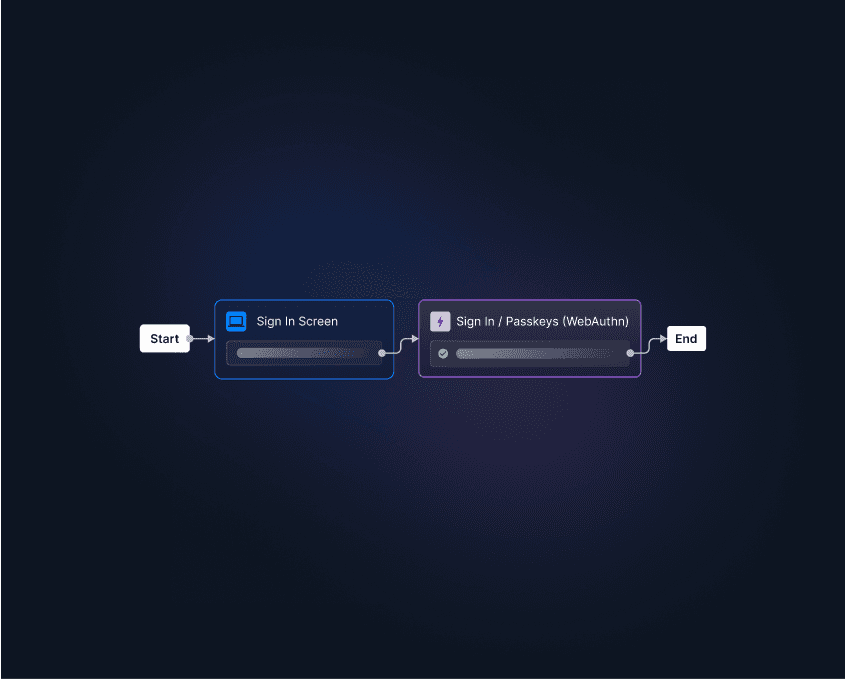
Sign up for Descope on our “Free Forever” tier and see how easy it is to build biometric authentication flows for your app.