
Table of Contents
Don't have the time to read the entire post? Our human writers will be sad, but we understand. Summarize the post with your preferred LLM here instead.
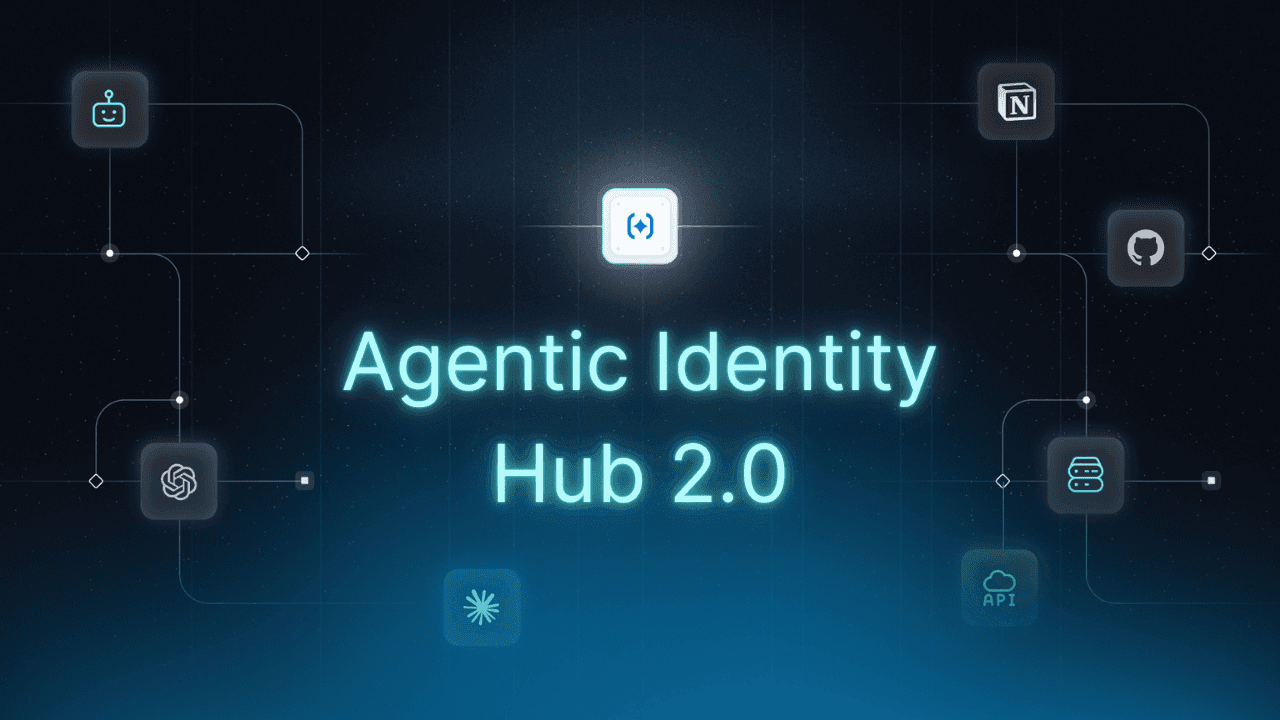
Hello Descopers! We’re delighted to share the brand-new Agentic Identity Hub with you today to provide developers and security teams with standards-based identity infrastructure for their AI systems. Organizations are now able to use Descope as a dedicated identity provider for AI agents, enabling them to:
Manage AI agents as first-class identities alongside human users
Securely connect their external and internal-facing MCP servers to MCP clients
Provide short-lived, scoped tokens to AI agents accessing downstream services
Govern agent access to MCP servers and resources with enterprise-grade policy enforcement
This new product builds upon last year’s releases of Inbound Apps, Outbound Apps, and the Agentic Identity Control Plane to give developers and security teams a dedicated UI and control plane to manage auth, access control, credentials, and policies for AI agents and MCP servers.
Any developer can start using the Descope Agentic Identity Hub today, including those on our Free Forever tier. Visit the docs and sign up to get started. For more on the What, Why, and How of the Agentic Identity Hub, keep on reading!
Identity remains the big agentic AI roadblock
2025 was the year AI agents and MCP adoption exploded, but look under the surface and every encouraging statistic is counterweighed by a cautionary tale. Autonomous agents proliferate in finance, coding, compliance, and legal spaces, but an over-permissioned AI agent accidentally deleted a company’s production database in July 2025. There are over 7900 MCP servers and counting, but recent research found nearly 2000 MCP servers possessed no security whatsoever (and most of the remaining 5900 MCP servers used static API keys which don’t exactly scream production-readiness).
Outliers aside, developers and security teams at most organizations face a series of challenges–some distinct and some interrelated–to securely deploy AI agents and MCP servers. Identity is a common thread that runs across these challenges.
The AI developer’s auth rabbit hole
If developers want to build MCP servers, they have two choices while connecting these MCP servers to AI agents–rely on coarse-grained, app-level access or static API keys (which is a security non-starter), or become an expert in the ever-evolving MCP authorization specification. Learning and debugging OAuth 2.1, PKCE, and client registration recommendations like Dynamic Client Registration (DCR) and Client ID Metadata Document (CIMD) takes their focus away from actually building the MCP server.
If developers want to ship AI agents, they have two choices while connecting these AI agents to downstream applications–have the AI agent ask the human user for their credentials (which is also a security non-starter), or take on the burden of understanding every downstream application’s API and managing the OAuth token lifecycle. Managing, storing, and refreshing AI agent credentials to implement delegated access takes their focus away from actually building the AI agent.
Knowing this reality, it’s no surprise that a recent Descope survey of 400+ identity decision-makers found that while 88% use or are planning to use AI agents, only 37% have moved past pilots due to identity headaches.
The need for agentic identities
In their quest to securely adopt agentic AI without stifling innovation, security teams struggle with an even more fundamental challenge than developers–defining what an AI agent is within their organization’s context.
AI agents are fundamentally different actors within enterprise systems compared to human users and machine identities. They can act autonomously on users’ behalf across multiple systems, their output is probabilistic, they need dynamic access at a function and tool level, and their access to tools must be tightly scoped and short-lived. Traditional IAM systems were not built to handle these requirements.
Not knowing the identity of an AI agent, who its associated user is, which scopes for which tools it has access to, and for how long that access has been explicitly authorized leads to dangerous blind spots in managing the lifecycle of the agent. With every OWASP Agentic Top 10 threat citing at least one identity-related mitigation, it’s critical for security teams to get a handle on agentic identity management before the other shoe of unauthorized, over-permissioned AI adoption drops.
The bottom line: Organizations need dedicated identity systems for AI agents based on ephemeral credentials, delegated access, and ongoing compliance with protocols like MCP.
Descope Agentic Identity Hub
The Descope Agentic Identity Hub is a purpose-built system to help developers and security teams manage authentication, authorization, credential management, and policy controls for AI agents and MCP servers. It provides a centralized control plane to define what an agent is, what actions it’s authorized to take, what resources it’s authorized to access, and under which user’s authority it’s acting.
Watch the video below for a quick overview of the Agentic Identity Hub.
Agentic identity management
The Agentic Identity Hub helps organizations define and get a unified view of all agentic identities in their system. Teams can:
Manage identities for all AI agents connected to their products and APIs.
Leverage dedicated identities for each AI agent alongside several attributes such as its associated user, tenant, tool-level scopes the agent has access to, its OAuth client ID, etc.
Filter, group, and tag agents based on business needs and logic.
Bring in existing workforce / customer IDs to make authorization decisions.
Monitor every AI agent action, identify potential misconfigurations, revoke access for potentially rogue agents.
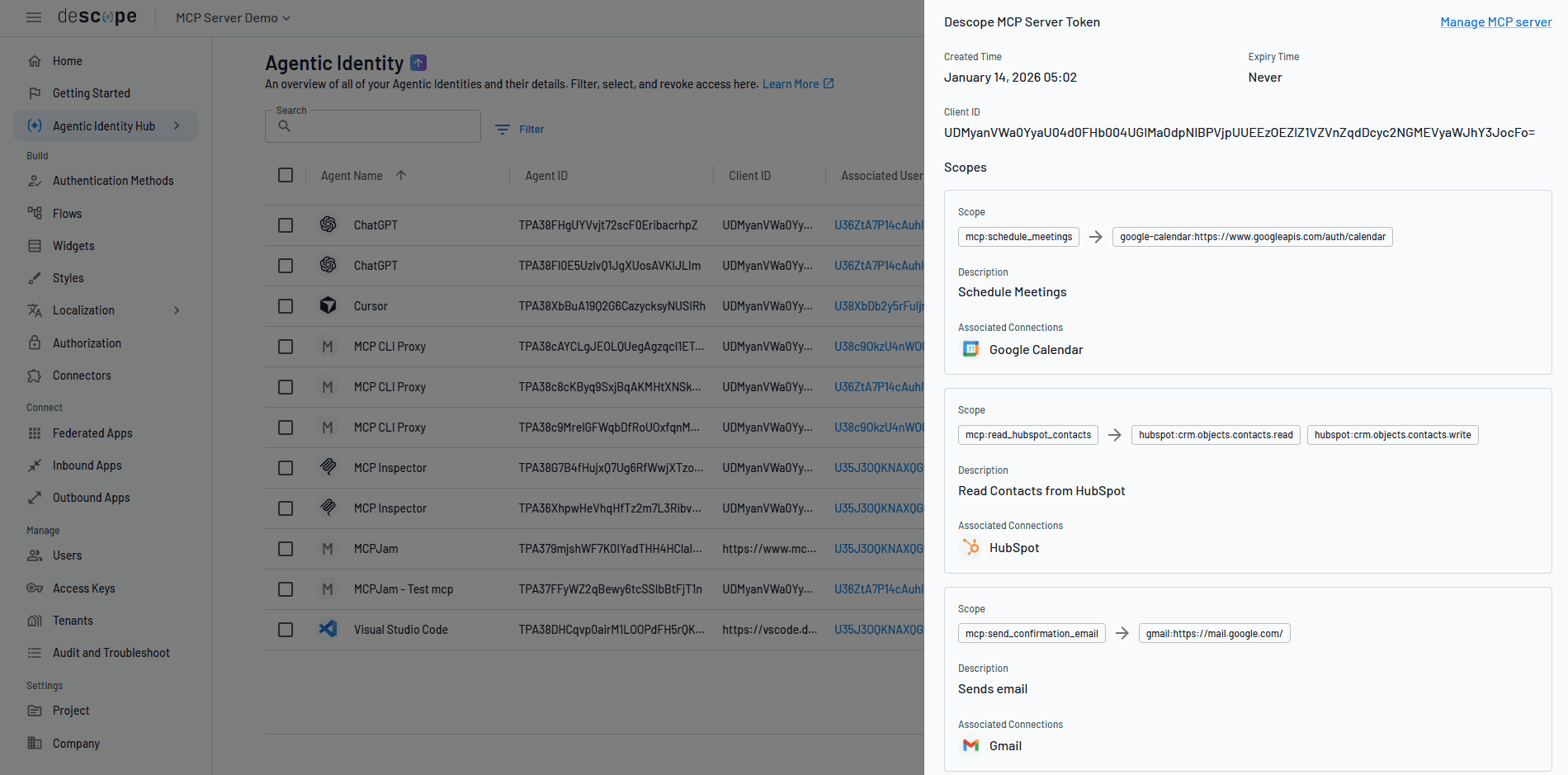
Auth and access control for MCP servers
The Agentic Identity Hub acts as a comprehensive auth and access control layer for external and internal-facing MCP servers, helping developers securely connect MCP servers (and any third-party tools these MCP servers connect to) to AI agents via protocol-compliant OAuth flows. Teams can:
Securely expose their MCP servers to MCP clients with OAuth 2.1 and PKCE.
Validate access to MCP servers with user authentication and consent management.
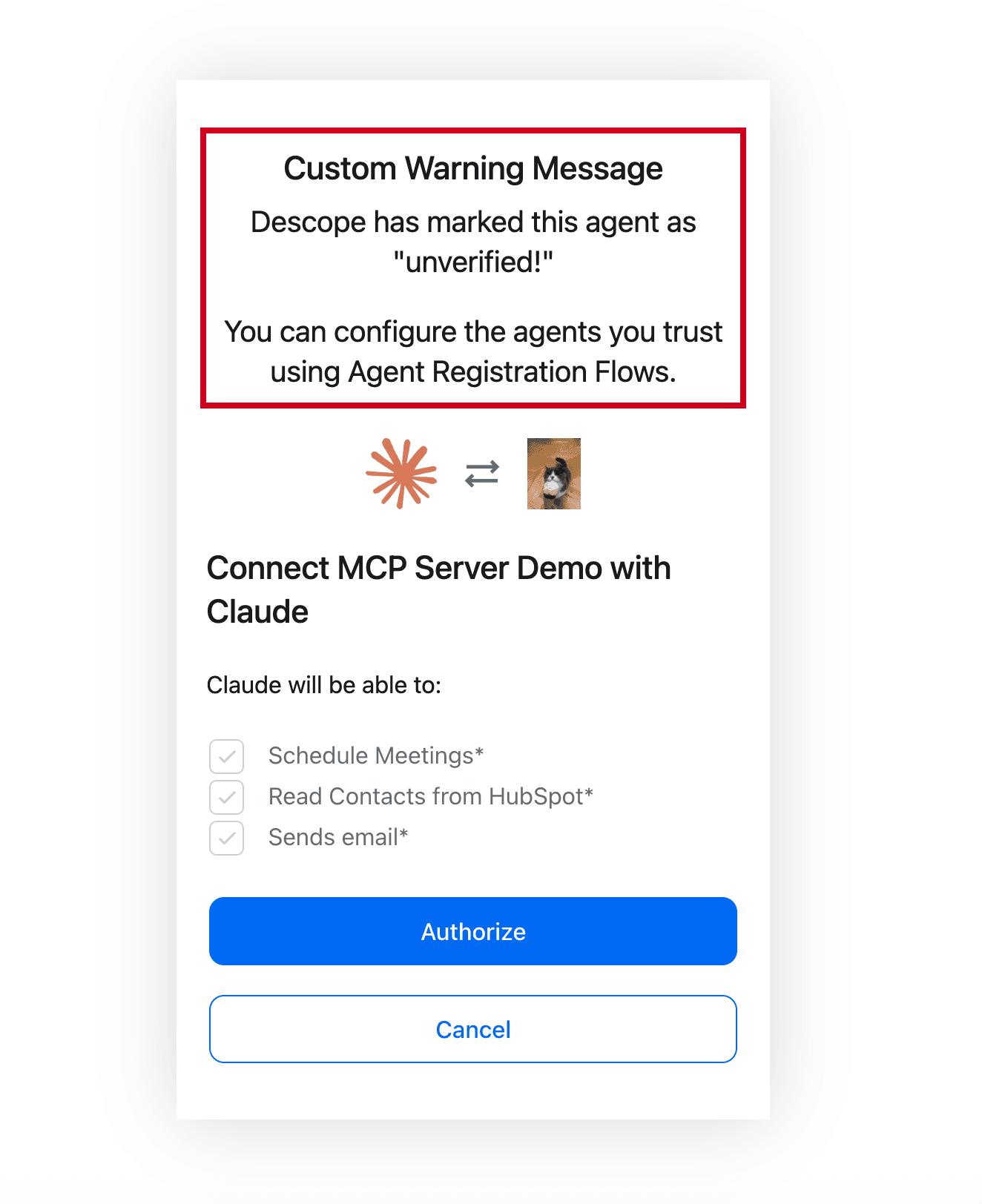
Use Descope as a dedicated authorization server for each MCP server with discovery endpoints, well-known URIs, etc.
Support context-aware MCP client registration through DCR and CIMD with agent risk assessment flows.
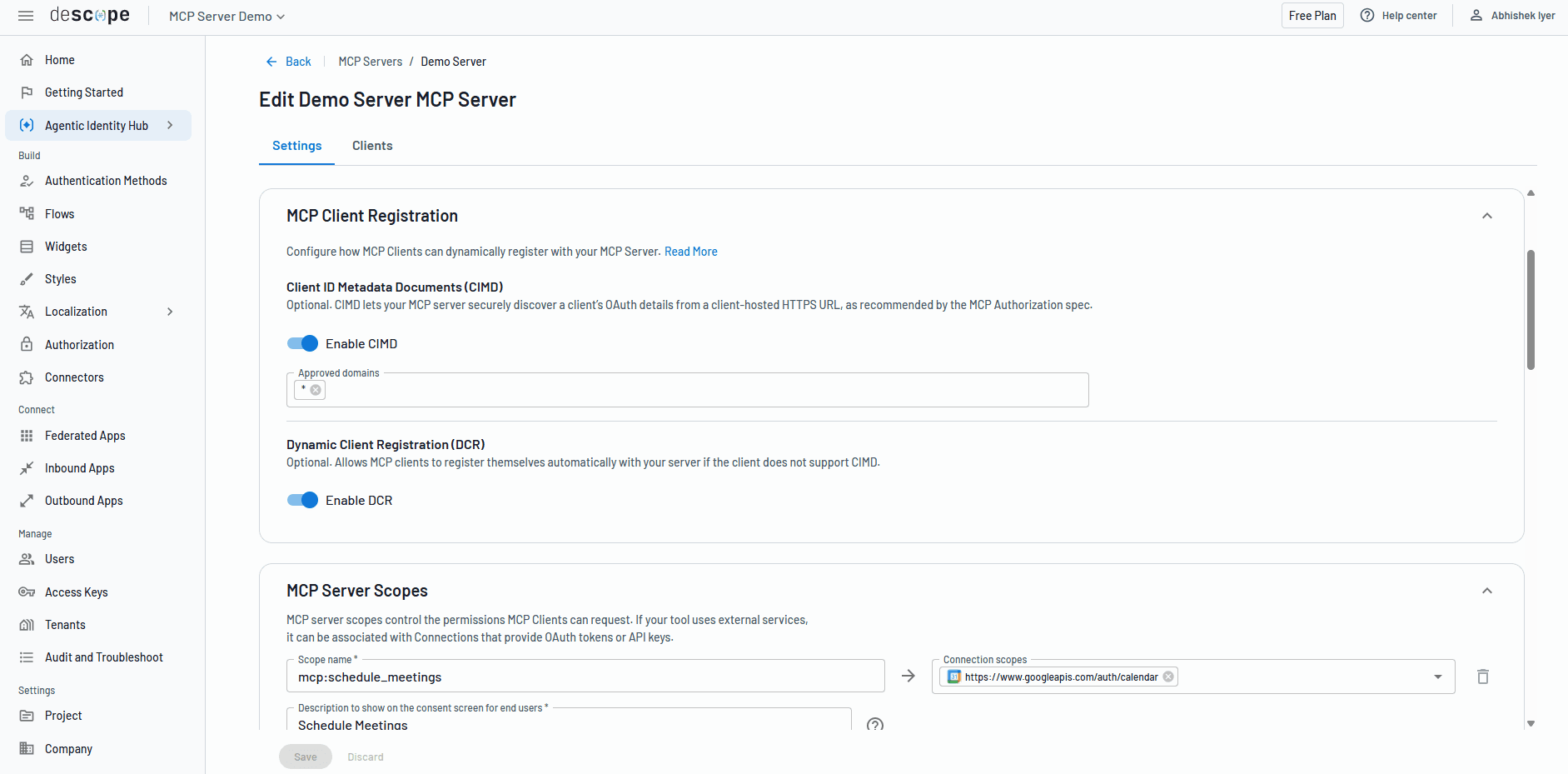
Assign granular per-agent and per-tool scopes to MCP clients.
Manage, monitor, and delete MCP clients connected to their MCP server.
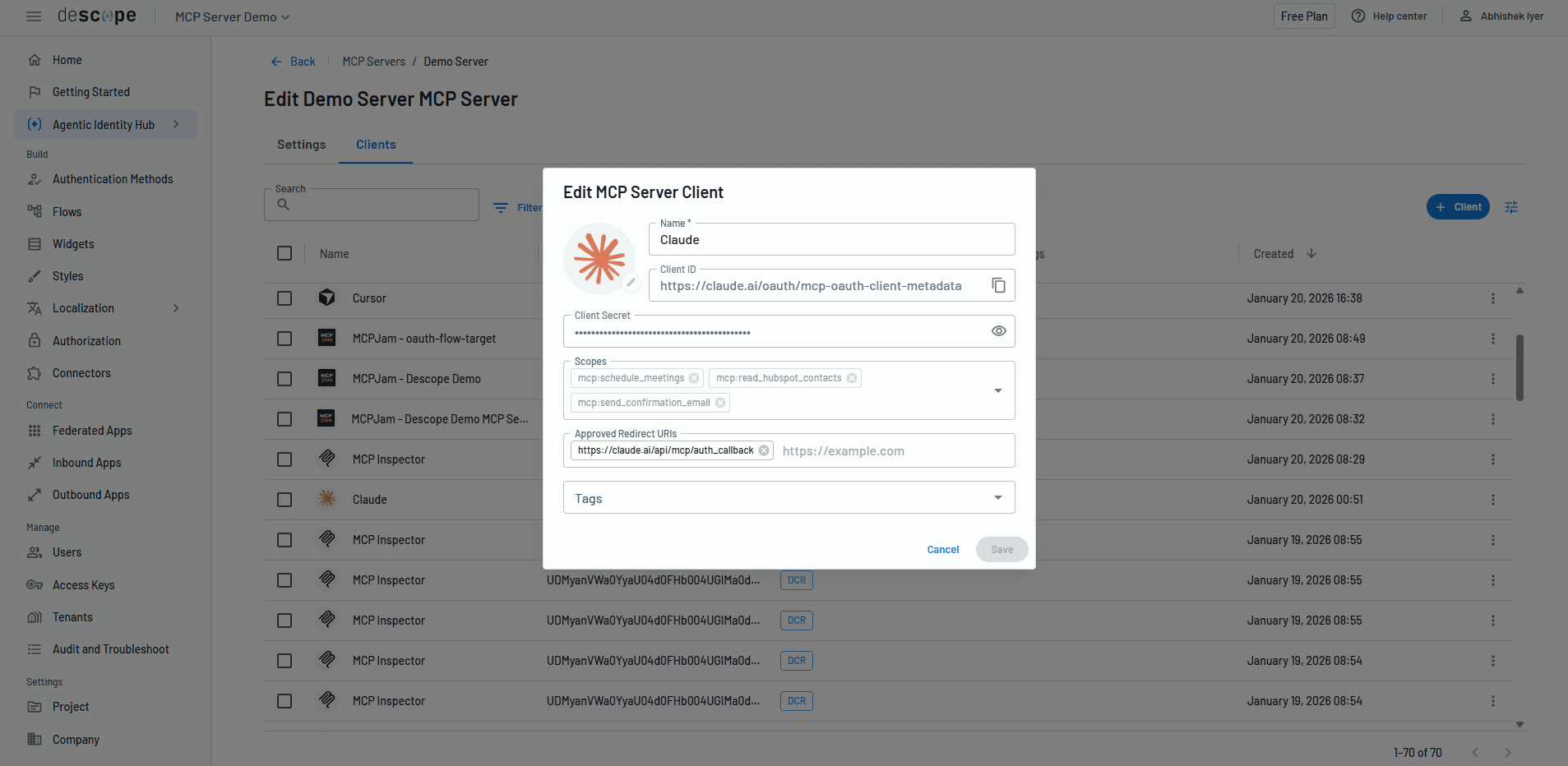
Credential management for AI agents
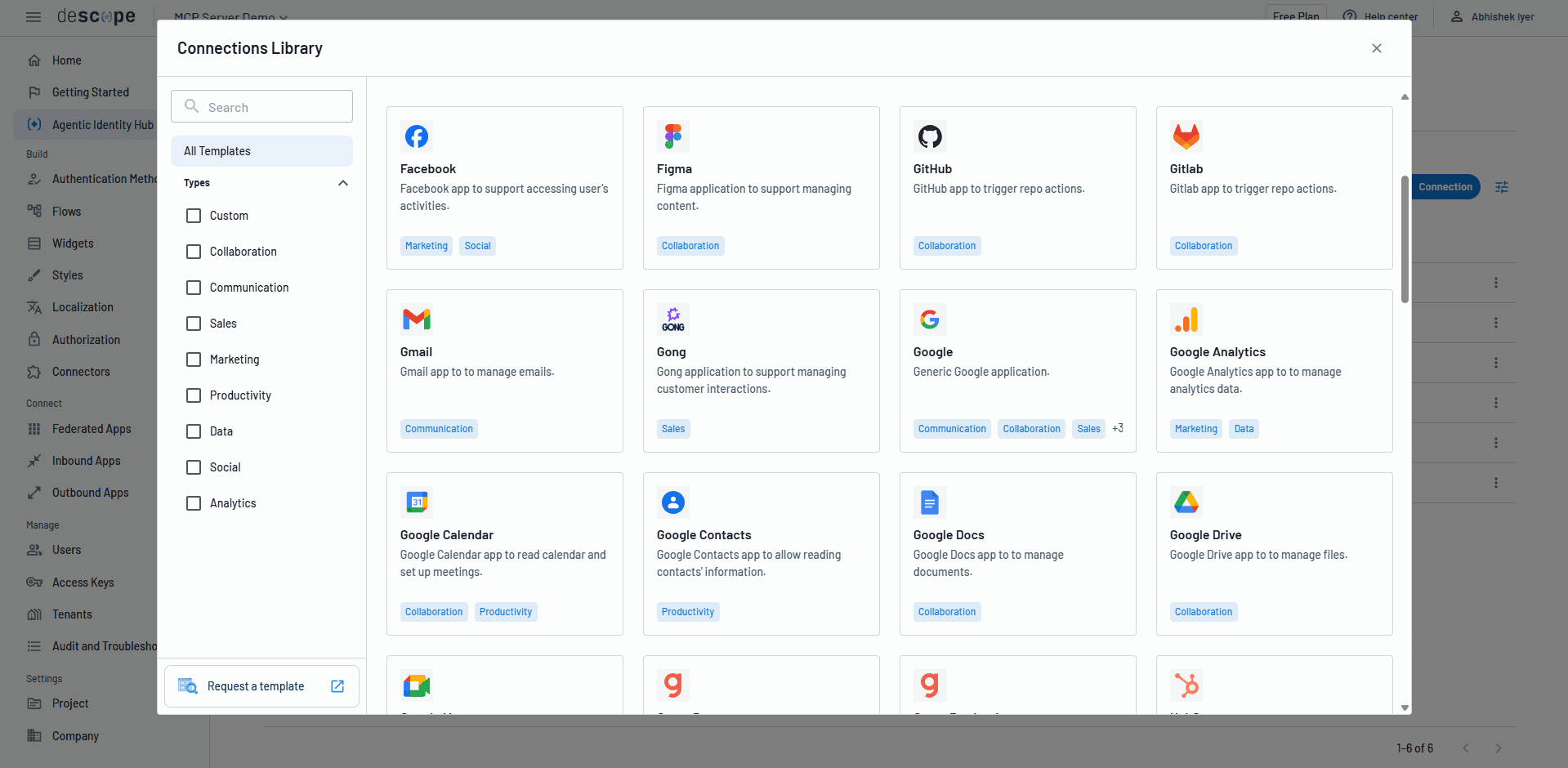
The Agentic Identity Hub acts as a credential vault to manage, store, and refresh short-lived and scoped credentials (OAuth tokens or API keys) that AI agents need to connect with downstream services. Teams can:
Issue portable, revocable tokens designed specifically for agents, independent of platform or downstream authentication requirements.
Manage, store, and refresh credentials for AI agents to access third-party or internal services.
Choose from 50+ prebuilt templates or vanilla OAuth and API key implementations.
Leverage presets to connect AI agents to third-party MCP servers.
Request scopes at the user and tenant level for B2C and B2B coverage.
Enforcing enterprise-grade policies
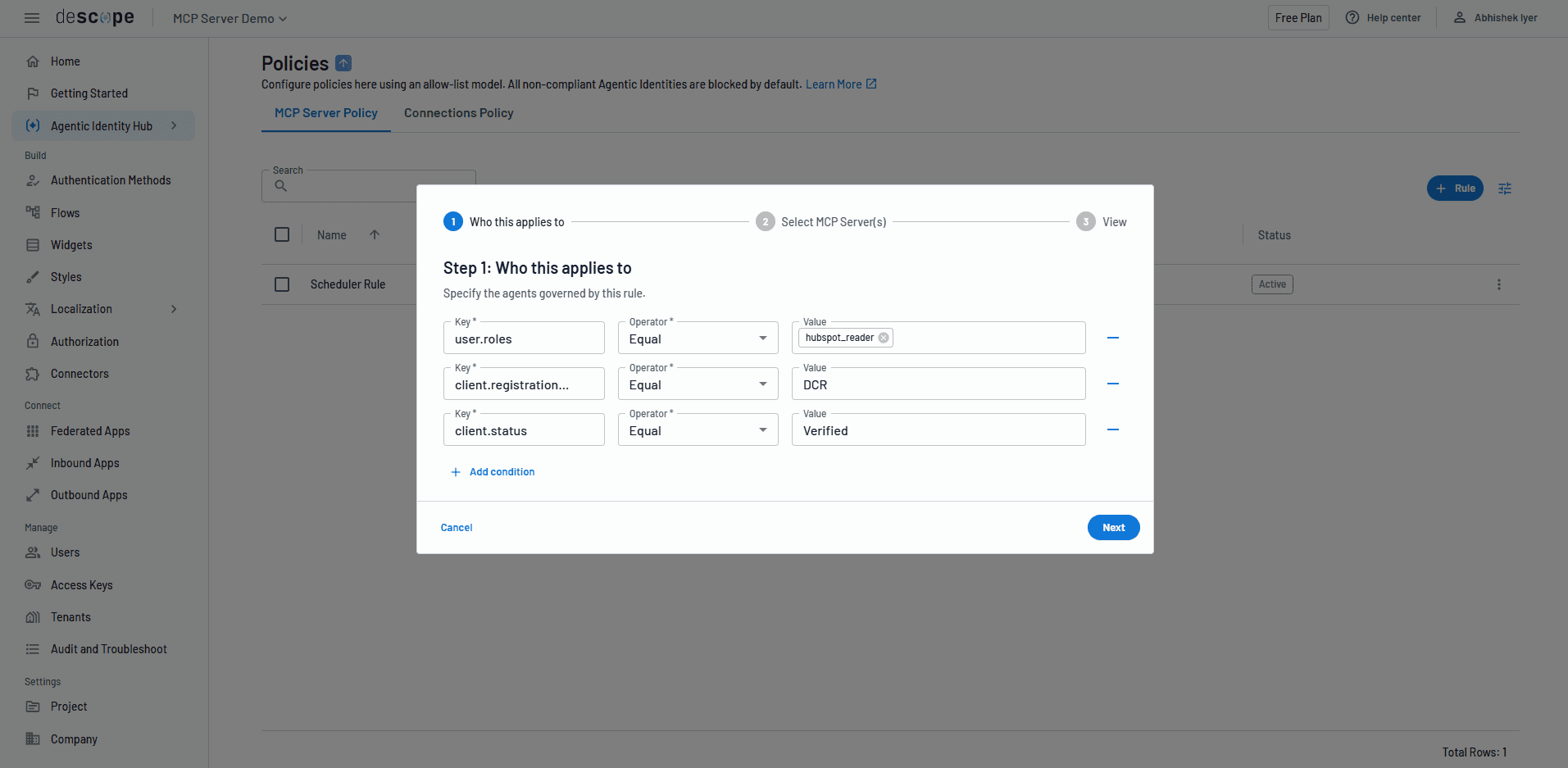
The Agentic Identity Hub acts as a policy engine to help teams define and enforce granular rules to govern AI agent access to their MCP servers, enterprise resources, and backend APIs. Teams can:
Define authorization controls for per-agent and per-tool access to their MCP server or enterprise resource.
Create authorization rules to control which tokens or scopes an AI agent can receive when connecting to a downstream service.
Create policies that take context from the user, tenant, MCP server, agent, JWT claim, and downstream service into account.
Bring in existing workforce / customer IDs for authorization decisions.
Ensure least privilege access and have AI agents progressively request elevated scopes only if needed.
Complete AI agent auditability
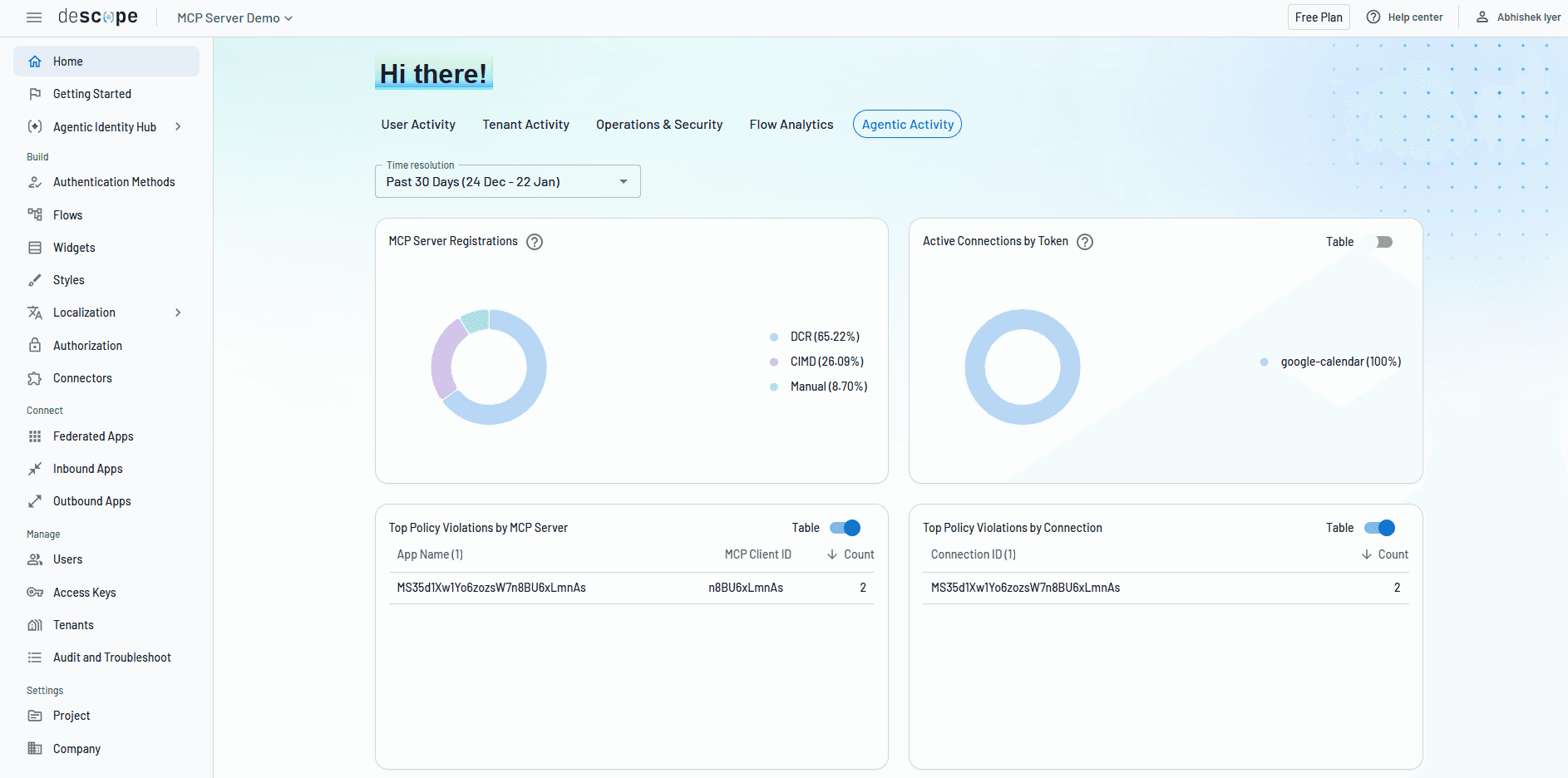
The Agentic Identity Hub ensures that every action in an AI agent’s identity lifecycle–client registration, user authentication, token issuance, policy evaluation, credential access, and tool execution–are logged for complete auditability. Teams can:
Gain visibility into every AI agent, their identities, the delegating user, and the tools / scopes / MCP servers they have access to.
Identify access misconfigurations and instantly revoke access for potentially rogue or shadow agents.
View detailed audit logs in the Descope dashboard or stream them to their SIEM platform.
Take AI from playground to production
Every organization has an agentic AI or MCP project, but many of them still can’t pass muster with enterprise requirements around authentication, access control, and identity lifecycle management. The Descope Agentic Identity Hub frees developers up to focus on building MCP servers and AI agents without worrying about identity controls, and provides security teams the peace of mind to adopt agentic AI within their organization while keeping a handle on shadow AI.
Visit our docs and sign up to get started with the Agentic Identity Hub. Have questions or a specific project you’d like to discuss? Book a demo with our auth experts.